Wtb Old vs Wtb New
on Thursday, January 23rd, 2020 1:21 | by Andreas Ehweiner
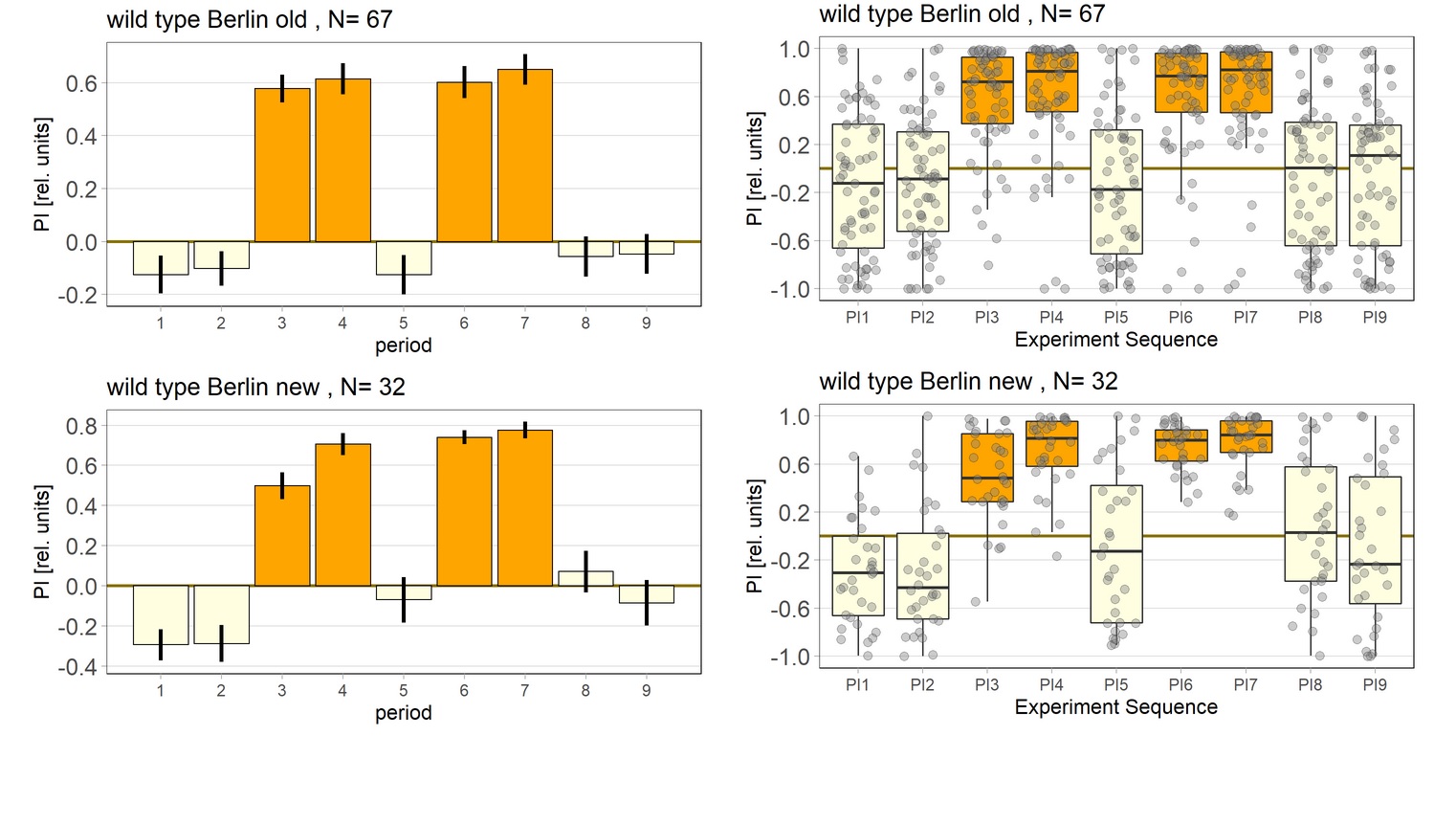
Comparison between the old and the new Wtb data.

Category: flight, Memory, Operant learning, operant self-learning | No Comments
Wtb summary 11/19 – 1/20
on Wednesday, January 22nd, 2020 4:20 | by Andreas Ehweiner
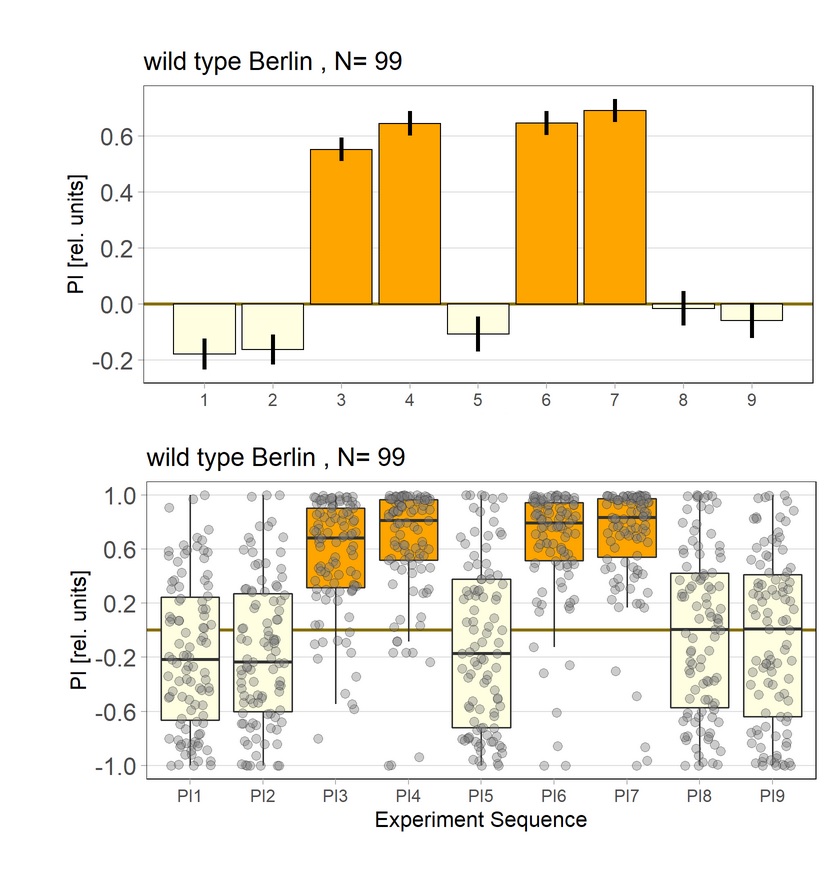
Summary of the self-learning experiments with Wtb. The laser was adjusted for the later trails. This is resulting now in a better avoidanc in training (orange bars).
Category: flight, Memory, Operant learning, operant self-learning | No Comments
Fist test of FoxP cond hs
on Monday, January 20th, 2020 1:19 | by Andreas Ehweiner
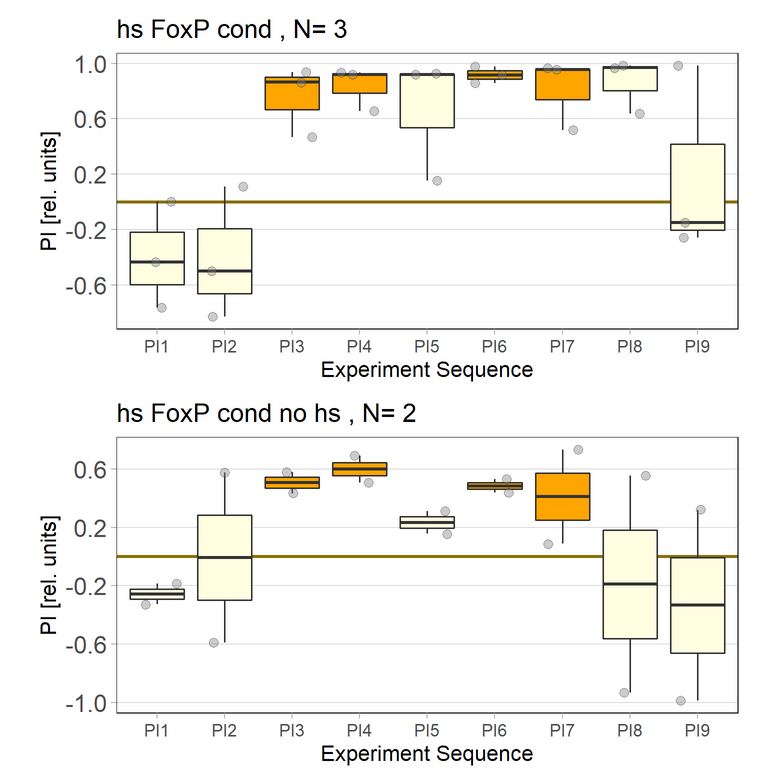
First test of the conditionla FoxP hs with the heat applyed as adult.
Category: flight, Foxp, Operant learning, operant self-learning, Uncategorized | No Comments
Testing of set-up
on Monday, January 20th, 2020 12:58 | by Andreas Ehweiner
The focus of the laser was changed, resutling in a better avoidance.
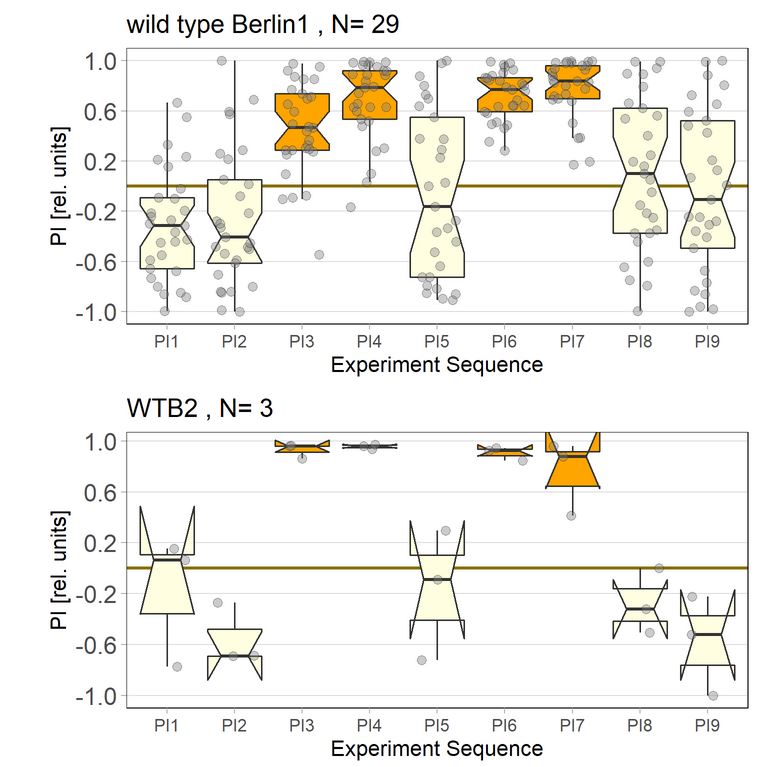
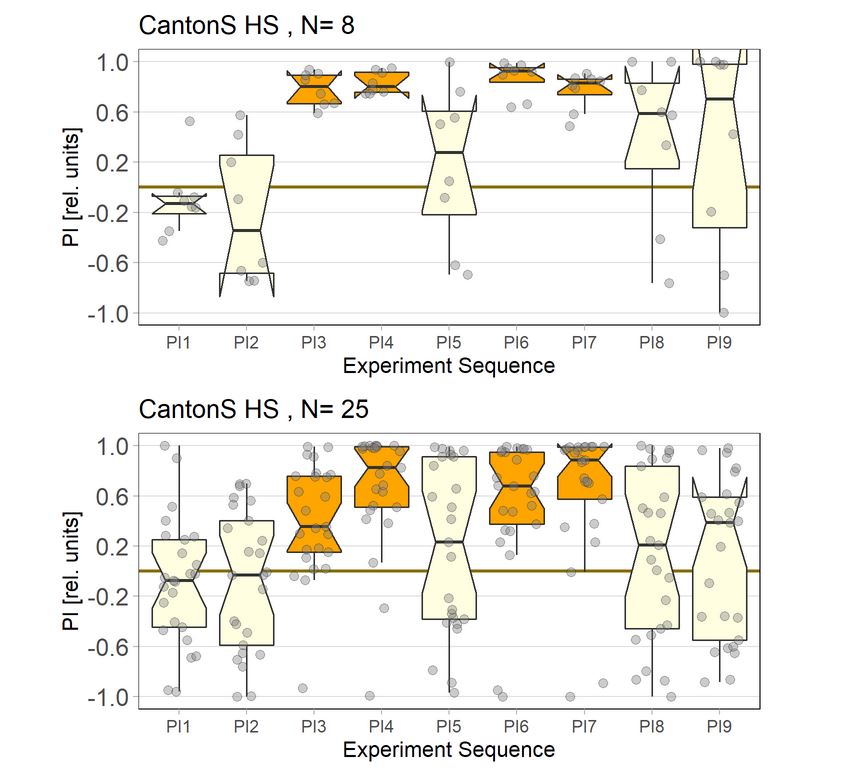
Bottom: Cs with not adjusted laser
Category: flight, Operant learning, operant self-learning | No Comments
Preliminary results from MBON screen and habit formation
on Monday, September 23rd, 2019 1:52 | by Anders Eriksson
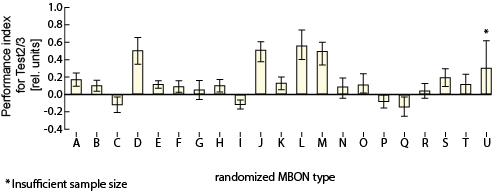
The different MBON types and their averaged preference index for Test2/3 during isolated operant component in the flight simulator. Each letter corresponds to a randomized MBON subtype. All but one is being displayed due to low sample size.
Category: flight, Lab, Memory, Operant learning, operant self-learning | No Comments
Getting cyan in the projector
on Tuesday, April 2nd, 2019 9:57 | by Anders Eriksson
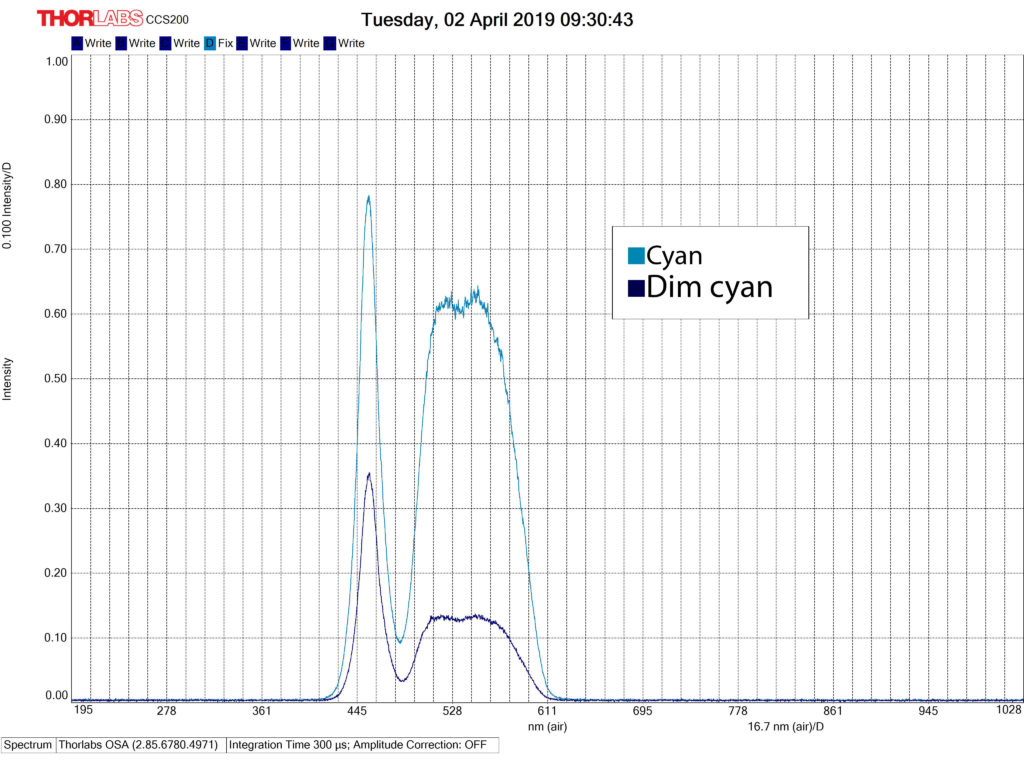
The projector we are using is not an LCD projector. It is a DLP projector with a RGB LED light engine using a digital micromirror device to project the image. I used the GUI to access the LED driver control which allows you to project each LED individually or in combination. Forcing it into manual mode changed the way the projector displayed the colors. The projector takes in our case as input 24-bit RGB data at a frame rate of up to 120-Hz. The 120-Hz value is the upper limit of the projector and is only allowed using HDMI 2.1 cables. I am fairly sure that is not what I am using, but instead a standard HDMI allowing 60 Hz. This frame rate is composed of three colors (red, green, and blue) with each color equally divided in the frame rate. So using 120 Hz would allocate about 2.78 ms for each color, as we are using 60 Hz this number would be closer to 6 ms, the flickering I saw earlier is most likely a result of this.
However, accessing the manual mode of the LED driver control allows you to turn on the colors in pairs (or in 3 if using RGB). This got rid of the flickering
Category: Lab, Operant learning, operant self-learning | No Comments
Software UI updates
on Monday, April 1st, 2019 2:04 | by Anders Eriksson
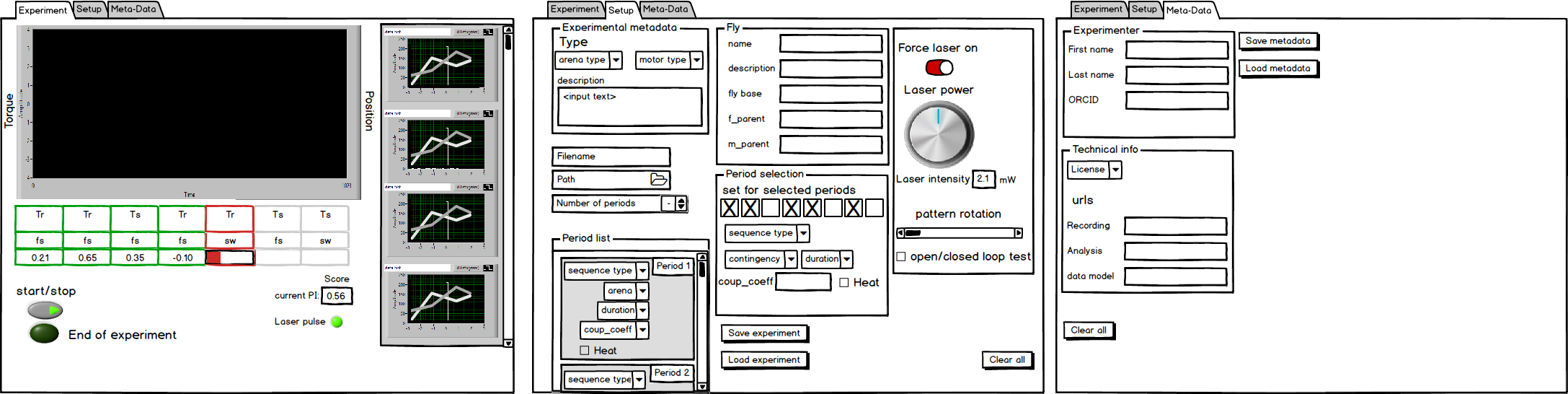
Fpga transmission software has gotten a new user interface design. At least this is the preferred outline of how we would like the software to look like. Based on the limits of LabView some alterations will be made
Category: Lab, Operant learning, operant self-learning | No Comments
Cyan in the LCD projector
on Thursday, March 21st, 2019 4:06 | by Anders Eriksson
The LCD projector combines green and blue to form the color cyan. However, while using the spectrophotometer to record this wavelenght it seems to be alternating between green and blue to produce the color. The lights does not seem to be illuminated simultaneously.
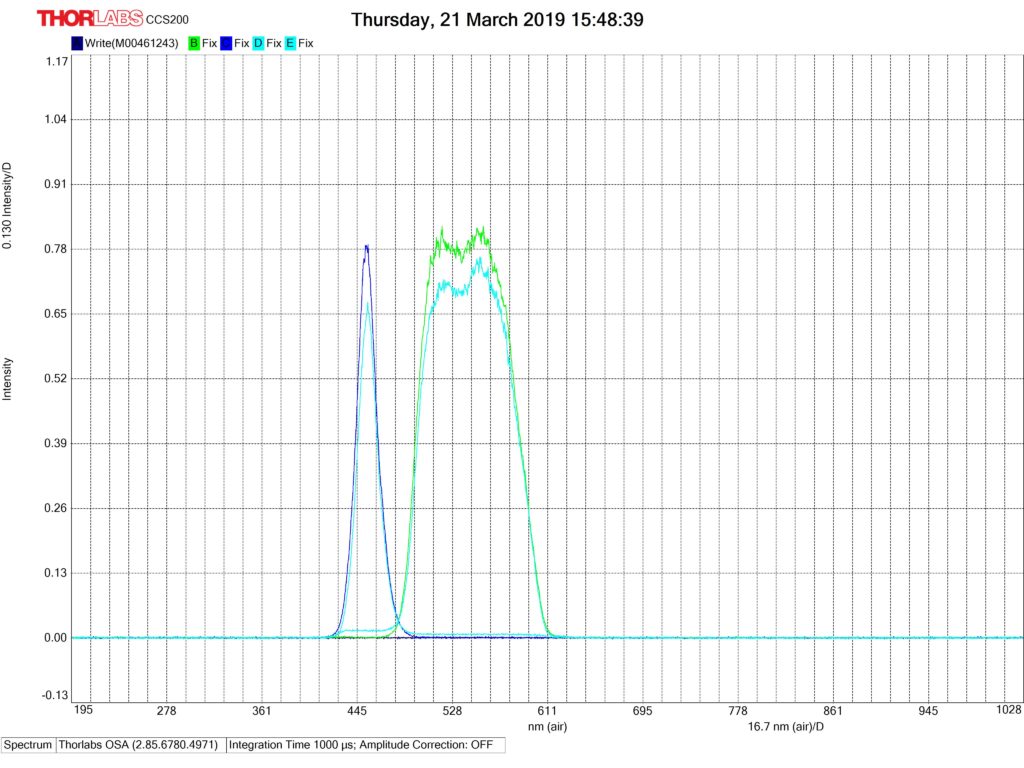
This picture is composed of four different channels. One each for green and blue, and two channels for cyan. The cyan color needed to be put into separate channels because they were never illuminated at the same time.
Category: Lab, Operant learning, operant self-learning | 4 Comments
Control experiments
on Wednesday, March 20th, 2019 1:42 | by Anders Eriksson
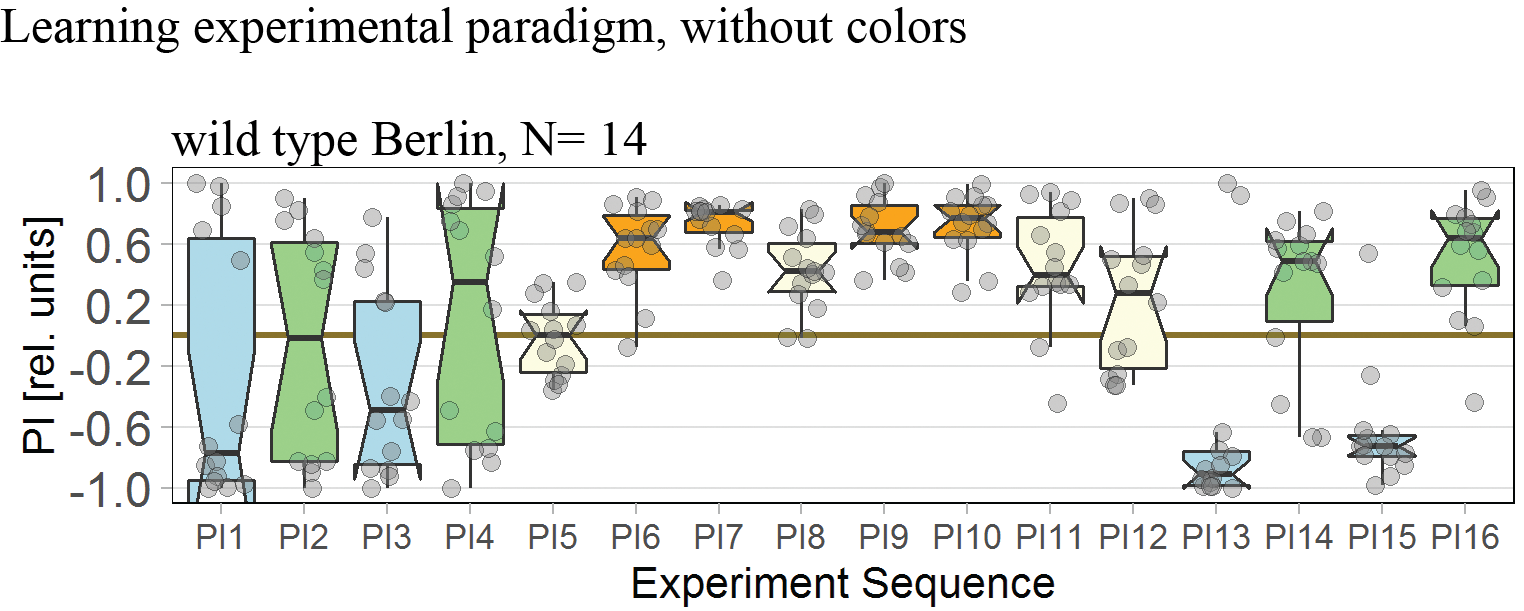
Learning paradigm with Wild Type Berlin flies
Category: flight, Memory, Operant learning, operant self-learning | No Comments
Control experiments
on Wednesday, March 20th, 2019 10:46 | by Anders Eriksson
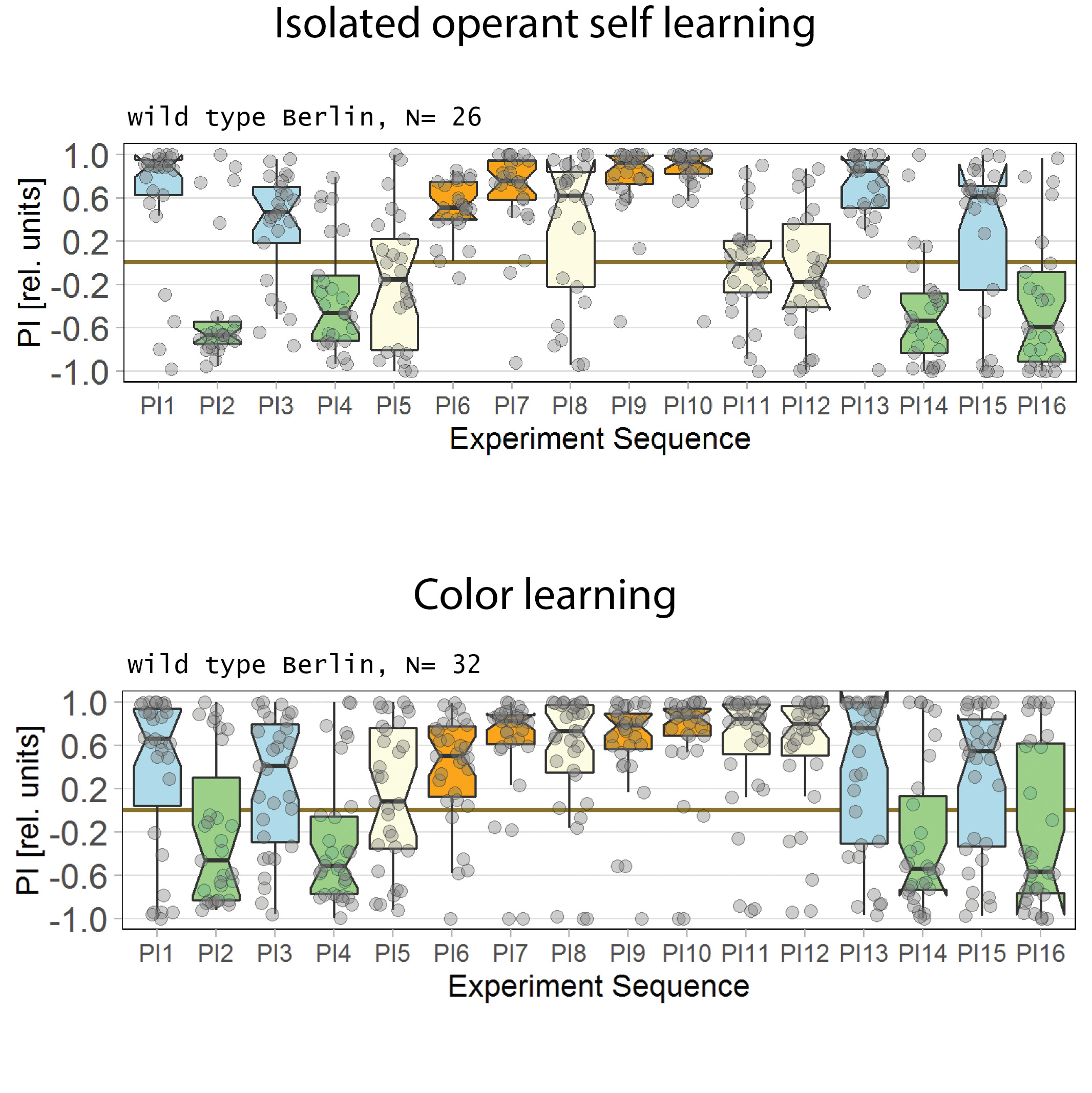
Been conducting a few control experiments to validate the “new” torque machine. Did a set of color learning and also isolated operant self learning. They do behave as expected. There is a small lumping together in the data the first period after the optomotor response in which the flies are in a neautral setting. It should be noted that it is a combined experiments of alternating right and left optomotor response. Also, the data in this figure is also a combination of the A/D converted “correctly” installed and “incorrectly”, i.e. inverted and reversed.
Category: flight, Lab, Memory, Operant learning, operant self-learning | No Comments